Pipedrive Marketplace497 apps
search apps…
APPLE WATCHLIST
0manually curated
PIPEDRIVE APPS
497full marketplace
TOTAL TRACKED
497across 2 stores
TOP MOMENTUM
—highest score
V-
Vonage - Nexmo SMS for Pipedrive
Ulgebra · Nurture my leads · Kostenpflichtig
Send single and bulk messages to People, Organizations & Deals. Message History within contact
REVIEWS
4
⌀ RATING
2.5
REVIEWS/TAG
—
REV/INSTALL
—
INSTALLS
—
MOMENTUM
—
FEATURES · WAS DIE APP KANN
- Vonage - Nexmo — Vonage messaging panel
- Send Vonage Message — Vonage modal
WETTBEWERB · NURTURE MY LEADS
| App | Reviews | Rating | Momentum |
|---|---|---|---|
| AlertBrew.com | 0 | 0.0 | — |
| Bonjoro | 3 | 4.0 | — |
| BulkSMS for Pipedrive | 0 | 0.0 | — |
| Burst SMS for Pipedrive | 1 | 2.0 | — |
| CloudTalk: AI Dialer & CTI for Pipedrive | 207 | 4.0 | — |
| Company Lookup by Dáváme | 0 | 0.0 | — |
| Company VAT Lookup | 1 | 5.0 | — |
| ControlHippo AI Chat Agents | 288 | 4.5 | — |
🤖 FEATURE-GAP · WO 20 % BESSER
Noch keine Analyse — „Analysieren" oben rechts startet sie.
💰 MONETARISIERUNG · LOHNT DER NACHBAU?
💰 MONETARISIERT
Kostenpflichtig
📈 MOMENTUM
—
📊 SKALA
—
SCREENSHOTS


BESCHREIBUNG
Connect with Pipedrive contacts through the SMS and social media channels available on Vonage's cloud communications platform. Initiate a conversation with contacts within people, organizations and deals.
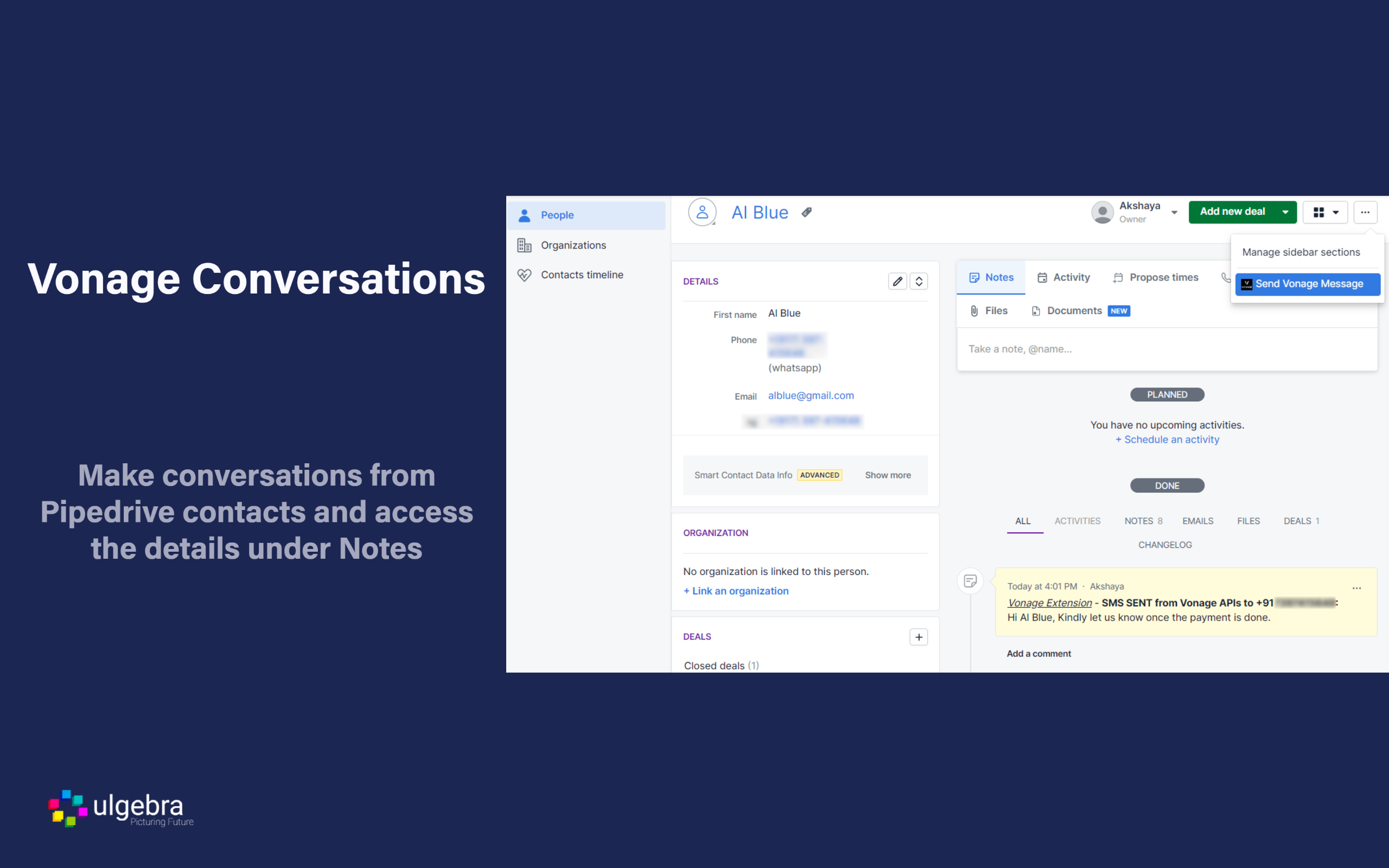
Within any contact from the people/organizations/deals module, click on "Send Vonage Message" from the dropdown on the top right corner. Select your Vonage channel. Type in your message. You can also insert templates, user fields, person fields and emojis into your message. Click on "Send Message" to send the message.
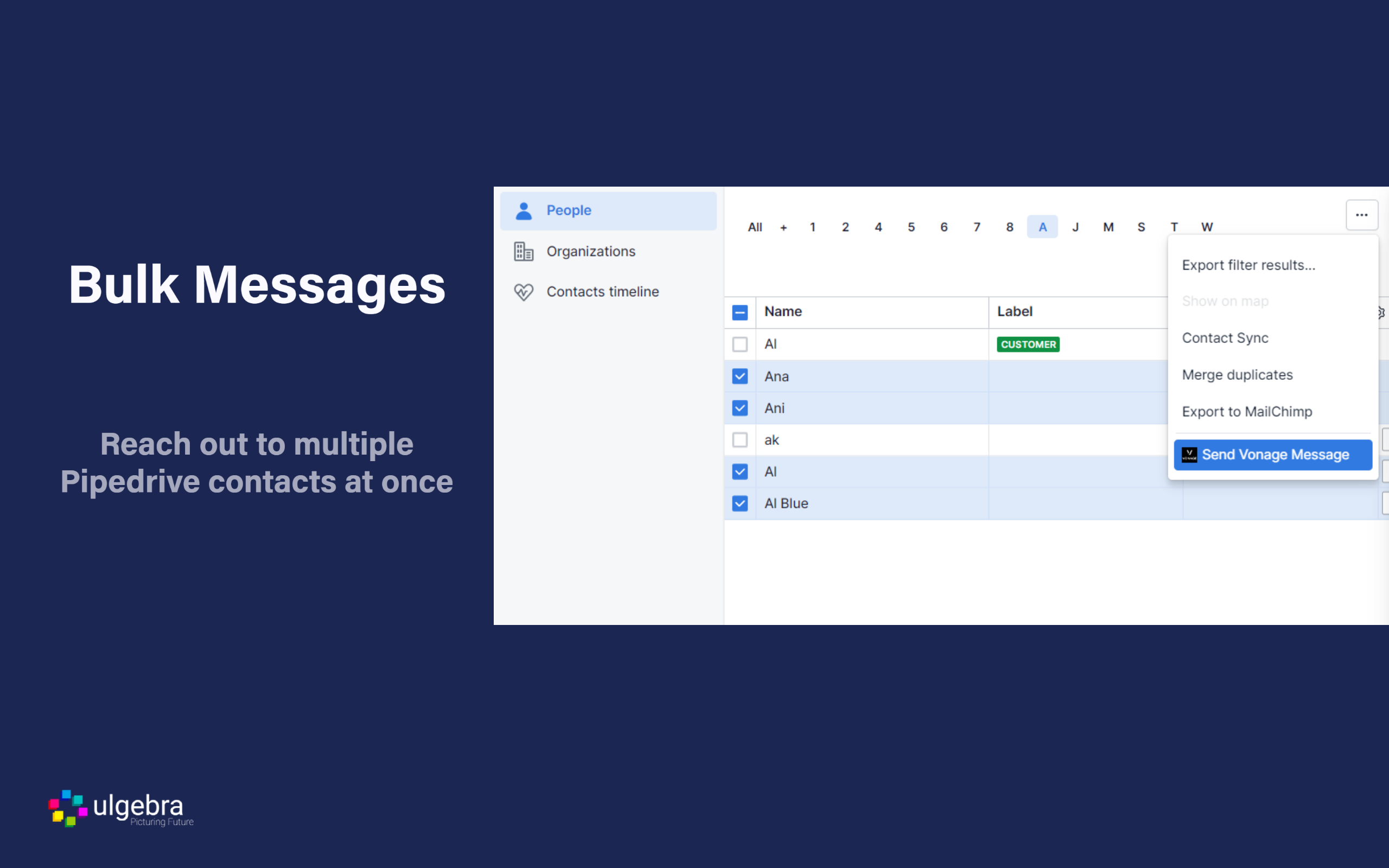
Connect with multiple contacts at once with the help of bulk messages. Select all the required contacts and click on Send Vonage Message in order to send a bulk message. Easily send bulk messages using Pipedrive filters to contact a specific set of customers.
View the history of Vonage messages sent through Vonage within Pipedrive CRM under the Notes section within the respective contact.
The Pipedrive admin can enable users to use their Vonage account and determine the users who can access this feature.
REVIEWS (4)
★☆☆☆☆15.4.2025
Aun no puedo asociarlo
★☆☆☆☆7.2.2025
not working
★★★☆☆26.5.2023
Havent been able to connect it because I cant find the API keys
★☆☆☆☆14.12.2022
Horrible support and not user friendly at all