Pipedrive Marketplace497 apps
search apps…
APPLE WATCHLIST
0manually curated
PIPEDRIVE APPS
497full marketplace
TOTAL TRACKED
497across 2 stores
TOP MOMENTUM
—highest score
UR
Ultra RingCentral SMS for Pipedrive
Ulgebra · Nurture my leads · Kostenpflichtig
Two-way SMS, bulk SMS from Pipedrive, chat view and desktop notifications for new messages
REVIEWS
9
⌀ RATING
3.0
REVIEWS/TAG
—
REV/INSTALL
—
INSTALLS
—
MOMENTUM
—
FEATURES · WAS DIE APP KANN
- RingCentral Message — Send RingCentral message.
- Send RingCentral Message — Send RingCentral single and bulk messages
WETTBEWERB · NURTURE MY LEADS
| App | Reviews | Rating | Momentum |
|---|---|---|---|
| AlertBrew.com | 0 | 0.0 | — |
| Bonjoro | 3 | 4.0 | — |
| BulkSMS for Pipedrive | 0 | 0.0 | — |
| Burst SMS for Pipedrive | 1 | 2.0 | — |
| CloudTalk: AI Dialer & CTI for Pipedrive | 207 | 4.0 | — |
| Company Lookup by Dáváme | 0 | 0.0 | — |
| Company VAT Lookup | 1 | 5.0 | — |
| ControlHippo AI Chat Agents | 288 | 4.5 | — |
🤖 FEATURE-GAP · WO 20 % BESSER
Noch keine Analyse — „Analysieren" oben rechts startet sie.
💰 MONETARISIERUNG · LOHNT DER NACHBAU?
💰 MONETARISIERT
Kostenpflichtig
📈 MOMENTUM
—
📊 SKALA
—
SCREENSHOTS


BESCHREIBUNG
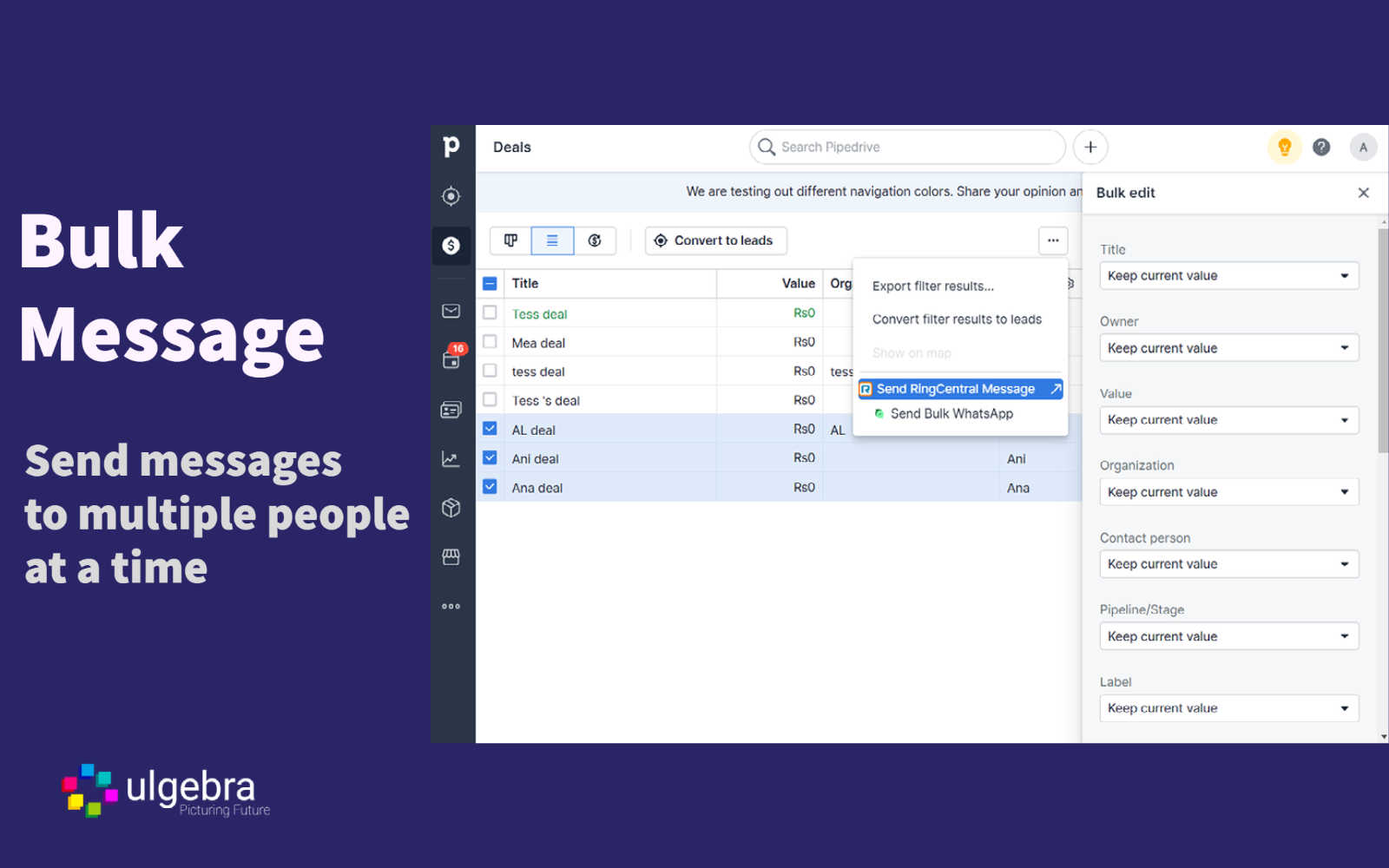
-Send messages
Send RingCentral messages to people, deals and organizations:
1. Select any contact and click on "Send RingCentral Message" from the dropdown menu on the right
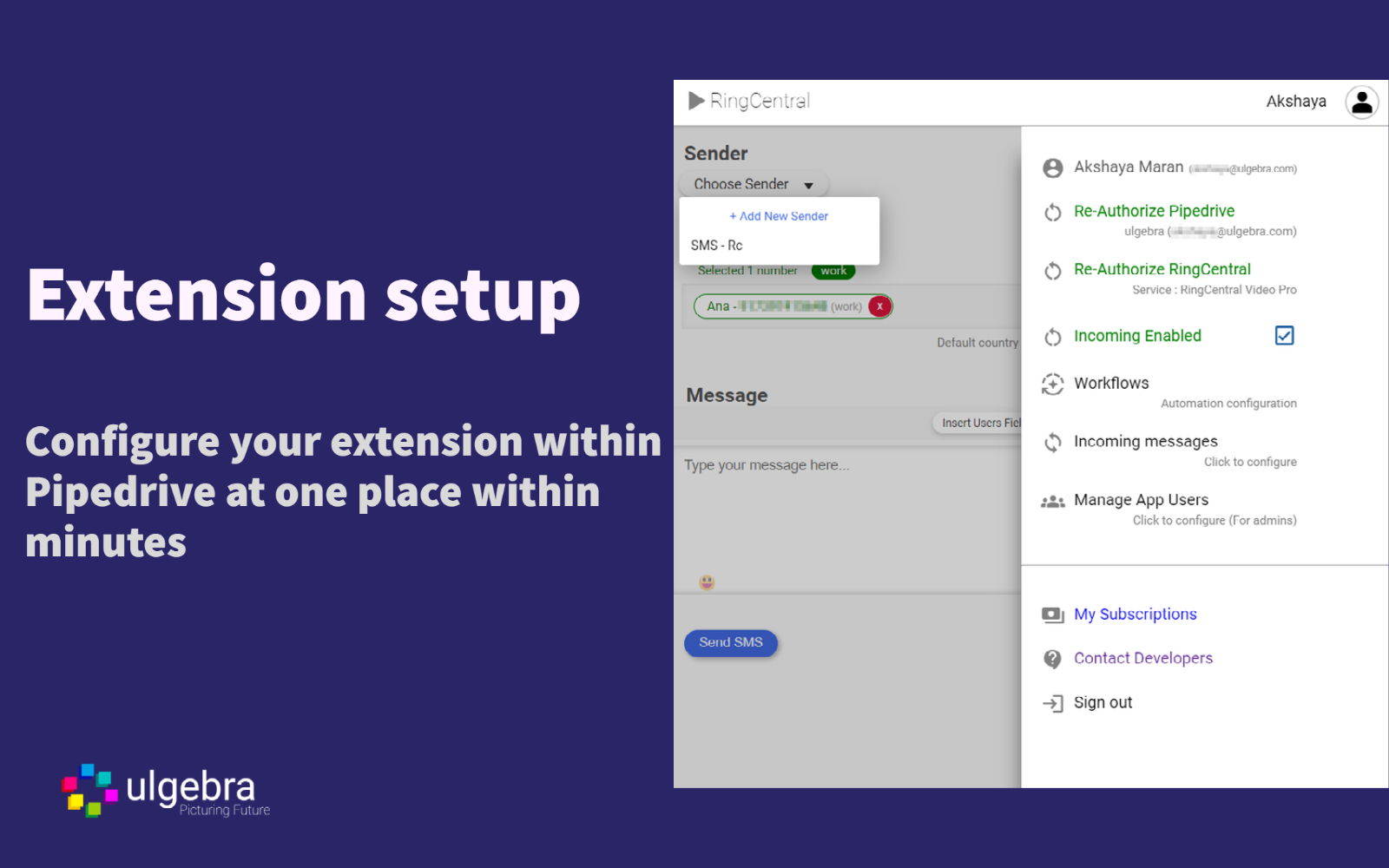
2. Select your RingCentral sender
3. Enter the message and click on "Send SMS"
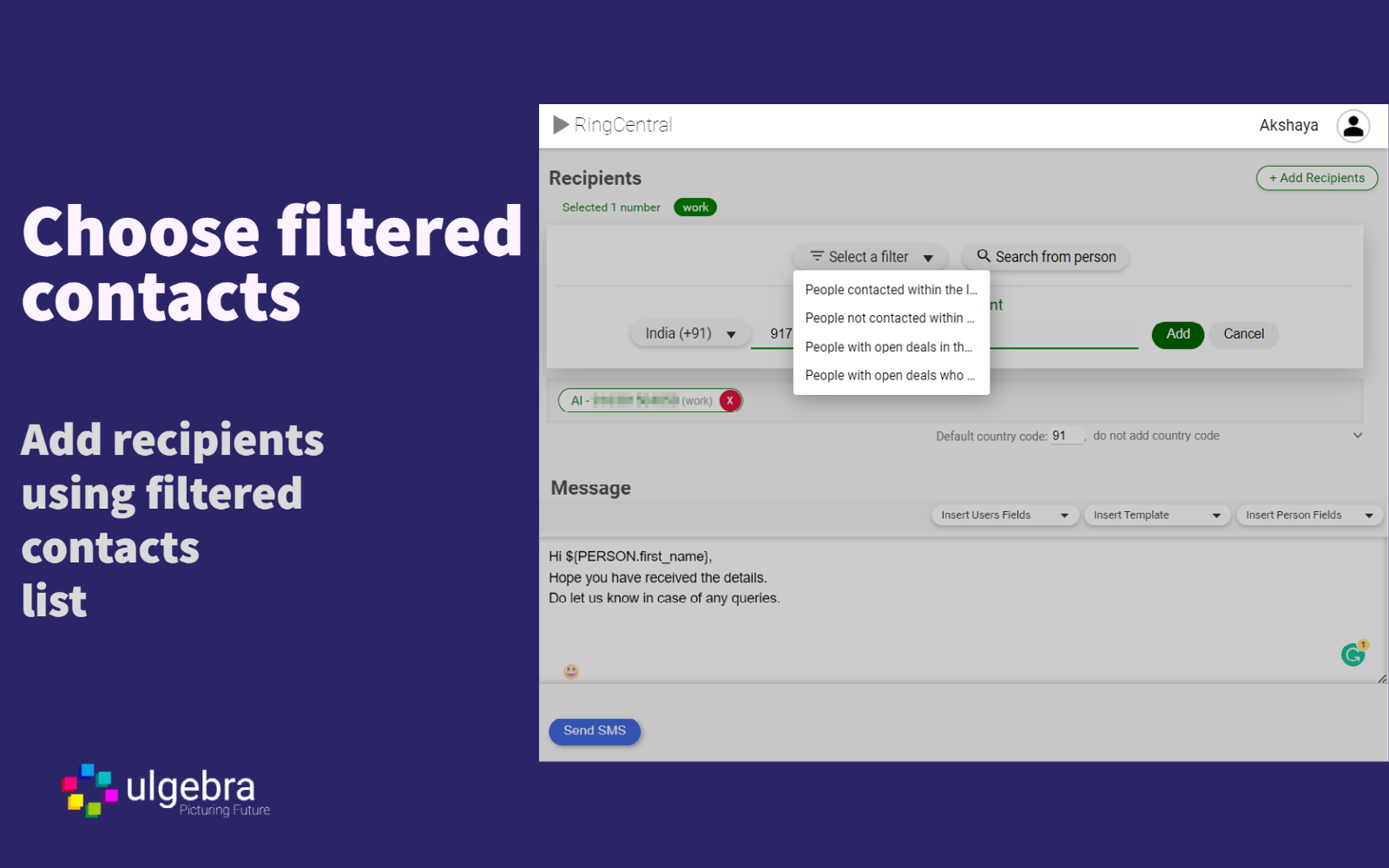
4. Insert user fields, person/organization/deal fields, templates and emojis
-Send bulk messages
1. Select contacts from the people, organizations or deals page
2. From the dropdown menu on the right-hand side, select "Send RingCentral Message"
3. Select the RingCentral sender
4. Add contacts to the bulk message
5. Click on "Add Recipients" by entering the contact number or selecting a Pipedrive filter
6. Enter and send your message
-Message history
View the details of sent message under the Notes section within person, deal or organization.
- Manage app users
Pipedrive admins can enable multiple users to access their RingCentral credentials.
Click on your profile within the extension interface and select "Manage app users." Here, the admin can view the list of users and add or remove the users for using the RingCentral account.
- Incoming messages
Click on your profile. Then, on "Incoming messages," where you can select the module to add the messages to.
REVIEWS (9)
★☆☆☆☆22.10.2025
STOP
★☆☆☆☆28.8.2025
easy but NOT recommended and NOT a good communication, sounds like the calls are coming from overseas, not professional at all. The incoming calls from a computer, terrible.
★☆☆☆☆14.3.2024
Never worked correctly and still doesnt.
★★★☆☆29.9.2023
ok
★☆☆☆☆8.6.2023
No customer support & the error codes aren't even correct they'll send you on a wild goose chase.
★☆☆☆☆16.1.2023
I have subscribed to Ultra RingCentral SMS for Pipedrive, however I am unable to log into the platform. I have been trying to contact you (by WhatsApp, Email and Online Chat) for over a week now to solve the problem and I get no response.
Terrible support.
★★★★★27.10.2022
Setup of the app is a breeze
★★★★★27.10.2022
Good
★★★★★27.10.2022
Easy setup and affordable